Run your coding agent in the cloud, for the whole team
Talk to your coding agent from Slack, so it can help do work for the whole team. Test and approve PRs, work on tickets, or make small changes. Usable by the whole team, no install required.
Connects to GitHub · Slack · Jira · watch the demo →
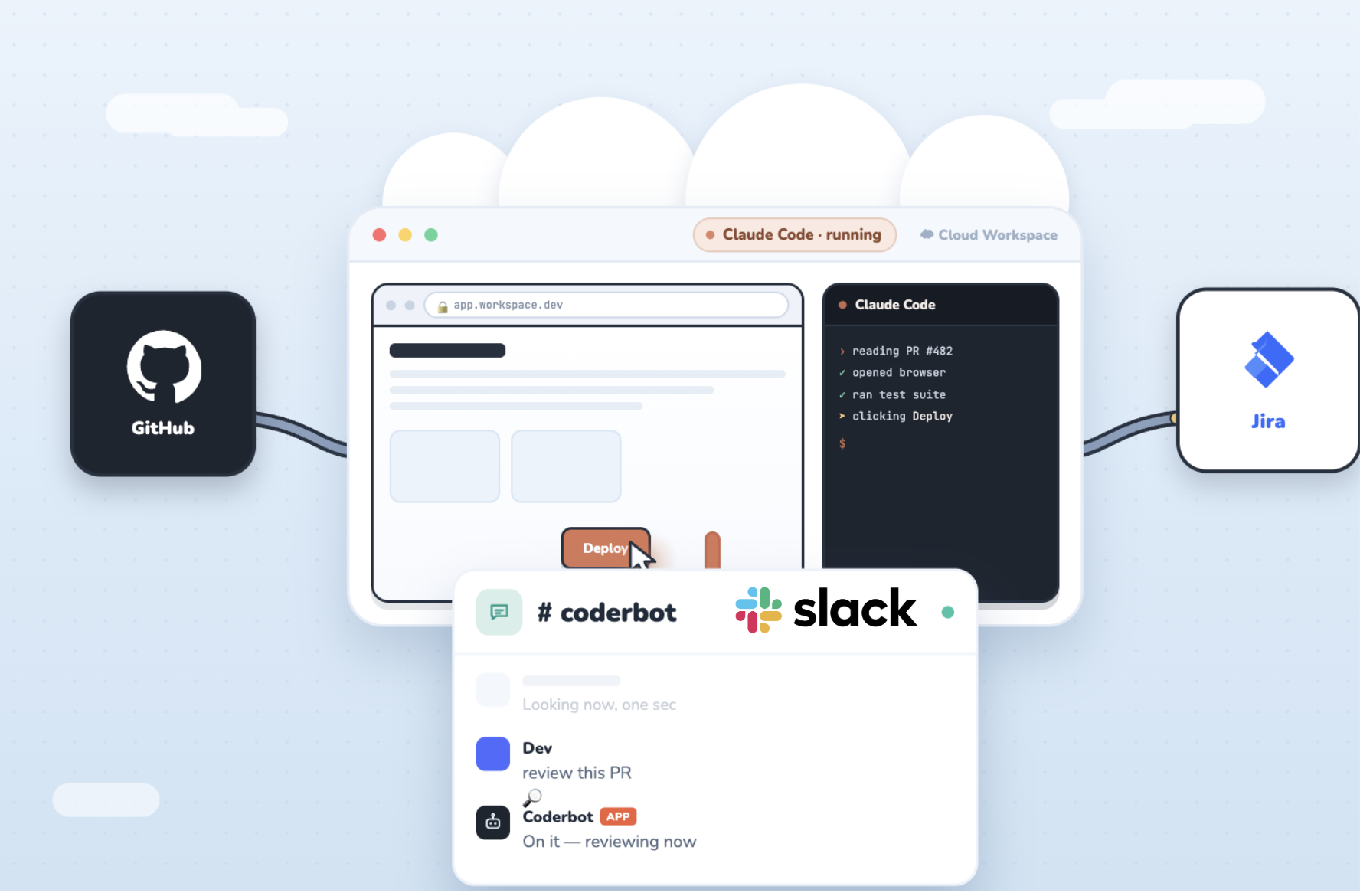
A shared AI teammate, not a copilot in one person's editor.
Coding agents like Claude Code or Codex are great on a laptop — but they live in one terminal, on one machine, driven by one person. Coderbots runs your coding agent in the cloud instead. Each agent gets its own long-lived workspace (a GitHub Codespace), plus the tools to connect to the systems everyone on the team uses.
Because it lives in the cloud and answers in Slack, it's addressable by anyone on the team — engineers, PMs, and managers alike. Tag it on a pull request, hand it a Jira ticket, or just ask where something stands. It works in the open, in the channel, the same way a human teammate would.
Real work, verified end to end.
Every agent keeps a full environment, so it can build, run, and check your actual app — not just guess at a diff.
01 Review pull requests
Tag a bot on a PR. It checks out the branch, runs the app in a real browser, exercises the change, and leaves a review — approved or with specifics.
02 Ship features & fixes
Ask in Slack or assign a GitHub issue. It writes the change, runs your tests and app, confirms it works, and opens a clean PR.
03 Answer status questions
Ask where a ticket or issue stands and get a straight answer. Point it at the board for standups so nobody has to chase updates.
04 Work in the open
It posts its plan and progress in the channel. Anyone can follow along, steer mid-task, or step in — no black box.
From zero to a working teammate in three steps.
Connect GitHub & Slack
Sign in and install the app. Each teammate gets a git identity and a Slack presence you can @mention.
Setup the workspace
Pick a profile and provision its cloud workspace. Setup the coding agent and local browser, clone your code repo.
Put it to work
Tag it on a PR, hand it an issue, or ask in Slack. It works in the channel and pushes results back to GitHub.
Ask in Slack. Watch it work.
#482 — the new checkout flow. Make sure the promo code actually applies.$ Cosmo review #482 › reading PR #482 (6 files, +142 −18) ✓ opened browser at app.workspace.dev ✓ ran test suite — 214 passed › applying promo code in checkout… ✓ total updated: $84.00 → $71.40 ✓ expired code rejected as expected › posting review & approving $ ▋
FAQ
Why does this exist?
Coding agents are incredibly powerful, but they are designed to run in your terminal, with access to your full development environment, with you operating them. But when we run a powerful agent like Claude as a shared resource, connected to the right components, it can fit into a real development workflow almost like a real teammate.
Coderbots connects a bunch of pieces together to enable your coding agent to run much more automously. We manage incoming events from Slack, Github, JIRA and other services and route them to your agent. This also allows you agent workspace to sleep (saving money!) when its off hours, and we can wake it up on demand when an event arrives.
Why is the persistent workspace important?
Most cloud agent environments are designed to be stateless. They require your app to be able to be fully bootstrapped on demand each time the agent operates. This is a great model, in theory, but it's not how real developers work. Real developers setup their machine, setup a local database, and run their app repeatedly in that environment. Ephemeral cloud environments are mostly used to run automated tests.
Coderbots gives Claude Code a durable environment to work in. It can clone repos, build databases, run scripts, and build up knowledge and state over time. This means it can run and test your app exactly like you do.
Claude's existing Slack integration relies on Claude Code on the Web which expressly states: "Cloud sessions start from a fresh clone of your repository. Anything you’ve installed or configured only on your own machine isn’t available in the session."
Why is the browser so important?
Having access to a real Chrome browser, with a persistent profile and cookies, is critical in most developer workflows. It's great to run automated tests, but lots of "real world" testing happens directly through your app. By giving Claude access to a full browser, it can test your app, take screenshots, even examine visual changes that are part of PRs.
By using a real Chrome profile, Claude can access any website that you can access. Coderbots sets up a real desktop so that you can login and drive the browser, logging into any sites that you want your coding agent to access. This enables lots of automation, like accessing sites like Reddit, LinkedIn, or X, that actively block headless browser sessions.
How do you leverage Github Codespaces?
Your coderbot workspace is hosted in a Github Codespace. Codespaces are virtual environments managed by Github inside your Github account. You get 16 hours of free compute time for any Github account. Codespaces sleep automatically when you aren't connected to them, so the Coderbots service keeps them awake as long as your agent has tasks to perform.
Do you support other coding agents?
We have plans to support Codex, OpenCode, and other coding agents. Come drop into our Slack and let us know which ones we should prioritize. We are also actively working on integrated support for using cheaper LLMs (like Deepseek, GLM, Muse Spark) with Claude Code itself.